

Microsoft is ending support for Windows 10. Here’s the either steps your business needs to do now.
 Step 1: What’s Happening with Windows 10?
In October 2025, Microsoft ends support for Windows 10—no more bug fixes, security updates, or tech support. Businesses using Windows 10 beyond this date will be at higher risk of cyberattacks and performance issues.
Step 2: Risks of Doing Nothing
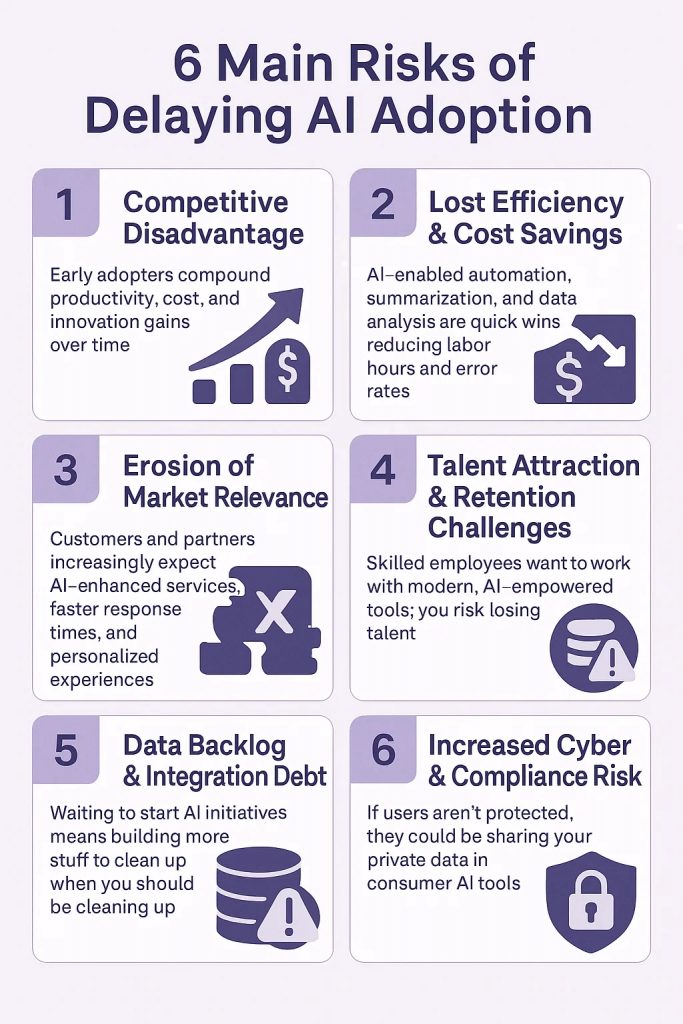
It is easy to be confused about AI and all the potential options, the paths and concerns.
Step 3: Is Your Business Ready for Windows 11?
Run Microsoft’s PC Health Check to determine device compatibility. If machines don’t meet hardware requirements, consider upgrades or replacements.
Also check for software and peripheral compatibility. Consider the opportunity to upgrade to the new Snapdragon purpose built hardware options for improving overall performance (including AI) and taking advantage of new power enhancements for top grade unplugged performance.
Step 4: Back Up Your Data & Plan Your Upgrade
Always back up your files before upgrading and backup everywhere. You may have all data on the Desktop, MyDocs or Download folder, but some apps may store important data elsewhere. Choose a quiet period to migrate. Leave enough time to do the migration. Communicate clearly with staff. Consider staggered upgrades department-by-department.
Yes, we can handle this.
Step 5: Why Windows 11 Is Better for Business
- Modern UI with centered Start Menu
- Snap Layouts for multitasking
- Built-in Teams integration
- Better security via TPM 2.0
- Copilot AI assistant for scheduling, summaries, and productivity
- NEW- Copilot+ capabilities for supported hardware platforms
Step 6: Copilot+ features
Check out the new PC based AI capabilities in Windows 11 to help with specific tasks that might be critical or common in your day to day.
There are also benefits from Copilot for Microsoft 365, but you can find more about that elsewhere on our site.
| Feature | Description | Business Value |
| Recall | AI-powered “time machine” that lets you search everything you’ve seen or worked on using natural language. | Saves time hunting for files, emails, and notes; improves knowledge retrieval across teams. |
| Live Captions & Translation | Real-time subtitles and translation for audio/video calls, even across languages, processed on-device. | Enables global collaboration, improves accessibility, and protects sensitive information. |
| Cocreator in Paint & Photos | Generate, edit, or enhance images with text prompts or sketches; AI-assisted photo adjustments. | Accelerates creative workflows and reduces the need for third-party tools. |
| AI Video & Image Editing | On-device AI enhances and edits media in real time—background removal, lighting fixes, upscaling. | Speeds up content creation while keeping intellectual property secure locally. |
| Intelligent Energy Optimization | Dynamic AI balancing of performance and power for extended battery life. | Increases mobility, reduces downtime, and lowers energy costs. |
| On-Device AI Security | Runs AI models locally for threat detection, phishing prevention, and anomaly detection. | Improves cybersecurity posture without adding cloud latency. |
| Always-Connected Access | Integrated 5G and Wi-Fi 7 for instant connectivity anywhere. | Keeps Copilot+ features and collaboration tools available even without traditional network access. |
Step 7: Settling In to Windows 11
Offer your organization short training or tutorials on new features. Address compatibility issues with updated drivers or vendor support. Monitor performance post-upgrade.
Step 8: Ready to Migrate? We Can Help.
Lastly, Git er done!
Of course, migrating to a new OS can be complex, but Fulcrum Group makes it easy. We’ll handle the planning and migration, so you don’t have to worry.
Schedule a Free 30-Minute Consultation