


A finance employee joins a video call with the company’s CFO and several colleagues he recognizes. The faces are right. The voices are right. They walk him through a confidential transaction, and over the next several days he sends 15 wire transfers totaling about $25.6 million.
None of the people on that call were real.
That happened to Arup, the global engineering firm, in early 2024. The employee had actually been suspicious of the first email. It was the video call that convinced him. The company later confirmed that “fake voices and images were used.”
It’s Halloween season, so here’s the fitting way to put it: the monsters worth worrying about don’t look like monsters. They show up dressed as someone you already trust.
The good news is that you don’t need to become an expert at spotting fakes. You need a few rules that work even when the fake is perfect.
The number that changed this year
IBM’s Cost of a Data Breach Report 2026, released July 29, 2026, found that one in four malicious breaches was AI-enabled, a 56% jump over the prior year. Those breaches cost about $6 million on average, roughly $1 million more than a typical breach.
Which kind of AI attack led the pack? According to Help Net Security’s summary of the report, deepfake impersonation drove close to half of them.
So the scenario above isn’t exotic anymore. It’s the most common way attackers are using AI against businesses right now.
Shapeshifters: a familiar voice is no longer proof
For most of the history of business, hearing someone’s voice or seeing their face settled the question of who you were talking to. That’s over.
The FBI said it plainly in a December 2024 public service announcement: criminals now use generative AI to create short audio clips of a real person’s voice, and to “generate videos for real time video chats with alleged company executives.”
You could train everyone to look for glitches in the video. But the glitches keep disappearing, and the attacker only has to get it right once. A better approach is to stop treating voice and video as proof at all, and rely on things a deepfake can’t fake:
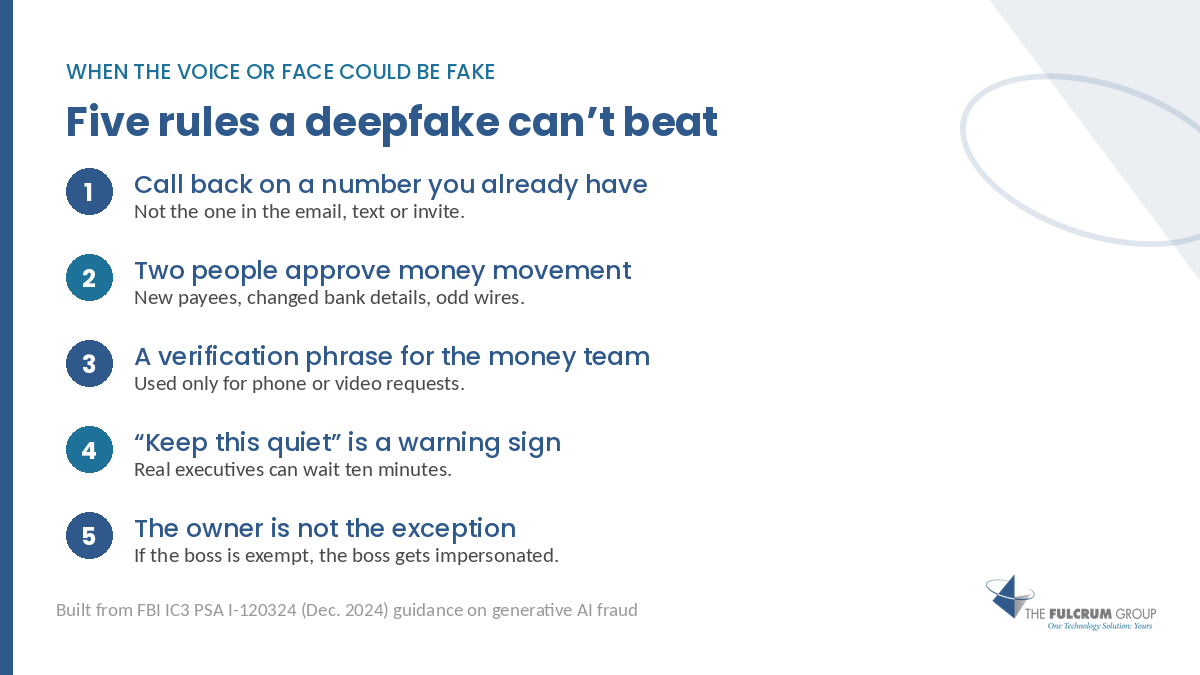
- Call back on a number you already have. Not the number in the email, the text or the calendar invite. The one in your contact list, vendor file or signed contract.
- Require a second person for money movement. Any new payee, changed bank details or out-of-pattern wire needs a second approver who wasn’t on the original call or thread.
- Use a shared verification phrase for the few people who can move money. The FBI recommends families pick a secret word. The business version is a phrase your controller, owner and bookkeeper know, used only when a request comes in by phone or video.
- Treat “keep this quiet” as a warning sign. Secrecy and urgency are the two ingredients almost every one of these schemes needs. Real executives can wait ten minutes for a callback.
- Make it apply to the owner, too. If the boss is the one exception, the boss is the one attackers will impersonate.
None of that requires new software. It’s a policy decision and a phone call.
Better costumes: the typo test is dead
For years, security training taught people to look for bad spelling, strange grammar and generic greetings. Those were real tells, and they were useful.
They’re mostly gone. The FBI’s same PSA notes that criminals use AI translation and writing tools to strip out the grammatical errors that used to give them away. And Verizon’s 2026 Data Breach Investigations Report found that attackers are now using generative AI across every stage of an attack, from researching targets to writing malware. The same report found that simulated attacks aimed at phones got click rates about 40% higher than email, which matters because text messages rarely get the scrutiny an email does.
So the new red flags aren’t in the writing. They’re in the request:
- Is it asking me to move money, change banking details, share credentials or send sensitive files?
- Did it arrive through a channel this person doesn’t normally use?
- Is there pressure to act before I can check with anyone?
If the answer to the first question is yes, the polish of the message doesn’t matter. It gets verified.
Invited in: the leak nobody meant to cause
The other side of AI risk has nothing to do with criminals. It’s your own people, trying to get work done.
A project manager pastes a client contract into a free AI tool to summarize it. Someone in accounting drops the quarterly numbers into a chatbot to draft board notes. Nobody is being reckless. They’re being efficient with a tool that nobody told them not to use.
That’s what “shadow AI” means: AI tools used for work without the company approving them or knowing about them. And it’s growing fast. Per Help Net Security’s summary and Baker Donelson’s analysis of the IBM 2026 report:
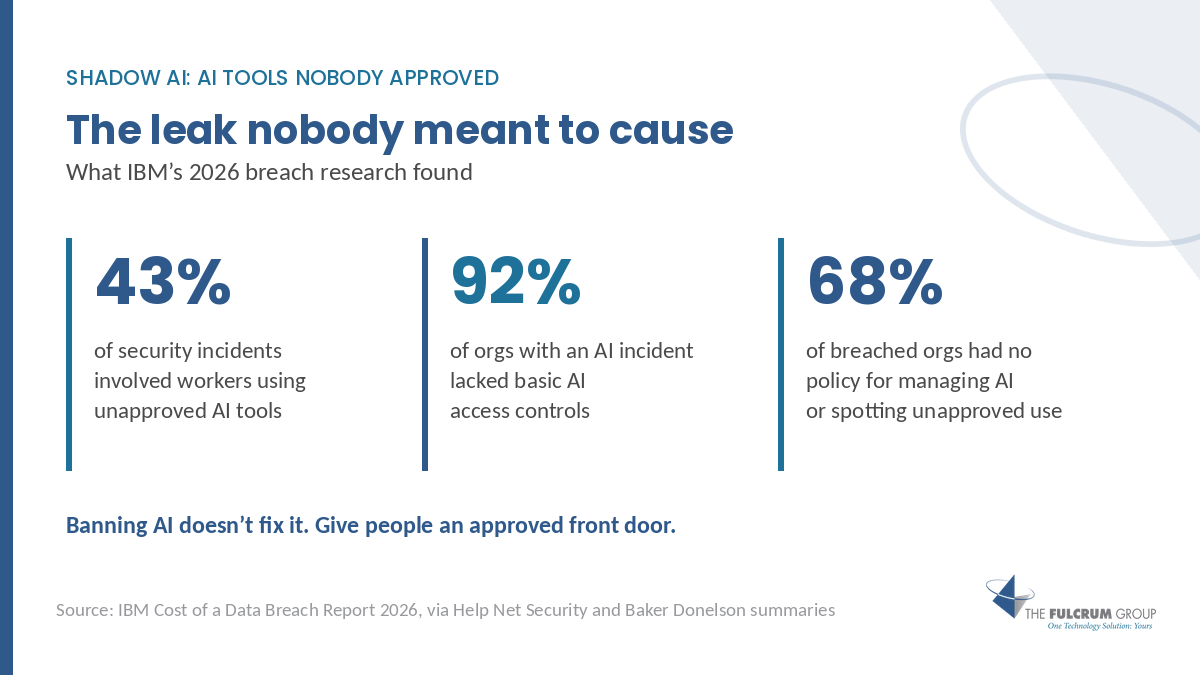
- Workers using unapproved AI tools showed up in 43% of security incidents, more than double the year before.
- Those incidents ended in data loss or compromise about half the time.
- Among organizations that had an AI-related incident, 92% lacked basic access controls like role-based access and multifactor authentication on their AI tools.
- Close to seven in ten breached organizations had no policy for managing AI or spotting unapproved use.
Here’s the part leaders tend to miss. Banning AI doesn’t fix this. People who find a tool that saves them an hour a day will keep using it, just on their phones and personal accounts, where you have even less visibility.
The fix is to give them a front door you’re comfortable with.
You may already own a safe front door
If your company runs on Microsoft 365, your people very likely already have access to Microsoft 365 Copilot Chat, and it includes something the free consumer tools don’t.
According to Microsoft’s own documentation (updated August 2026), Copilot Chat includes enterprise data protection “at no extra cost,” and “prompts and responses aren’t used to train the underlying foundation models.” You can tell it’s on by the green shield at the top of the chat window, next to the New Chat button.
That doesn’t make it a free-for-all. It still needs rules about what goes in. But it means the answer to “where should I paste this?” can be “here, where we can see it and it stays inside our agreement with Microsoft,” instead of “anywhere you like.”
Three quick checks to ask your IT partner:
- Is Copilot Chat available to our users, and are they signed in with their work account, so the green shield shows up?
- Have we told people it’s the approved tool, and pinned it where they’ll actually find it?
- Do we know which other AI tools people are already using, so we can decide which ones to allow?
A one-page AI policy your team will actually read
Most AI policies fail because they’re twelve pages long and nobody reads them. Yours can fit on one page:
- Approved tools: List them by name. Everything else needs a quick OK first.
- Never paste: Client data, employee records, financials, passwords, contracts or anything covered by an NDA, into any tool that isn’t on the approved list.
- Check the output: AI can be confidently wrong. A human reviews anything that goes to a client, a regulator or a bank.
- Money and access requests get verified: Especially by voice or video. See the five rules above.
- Ask, don’t hide: If you used an AI tool you weren’t sure about, tell us. Nobody gets in trouble for asking.
That last line matters more than it looks. If people think admitting a mistake will get them punished, they won’t admit it, and you’ll find out months later.
The Texas angle: the state already picked a framework
Texas’s new AI law, the Texas Responsible Artificial Intelligence Governance Act (TRAIGA, House Bill 149), took effect January 1, 2026.
For most private businesses, its direct requirements are narrow. It prohibits using AI to intentionally incite violence or crime, infringe individual rights or unlawfully discriminate. The Texas Attorney General enforces it, there’s no private right of action, and there’s a 60-day window to fix an alleged violation. The heavier rules, like telling consumers when they’re talking to an AI, apply to government agencies.
The useful part for everyone else is what the law treats as a defense: organizations that follow the NIST AI Risk Management Framework (including its generative AI profile) or a comparable recognized framework get protection from civil penalties.
In other words, when Texas lawmakers had to decide what “responsible AI use” looks like, they pointed to a written, recognized framework. That’s a reasonable signal for how a regulator, an insurer or a court may judge you later. An AI policy that borrows from NIST’s structure isn’t overkill for a 60-person company. It’s a head start.
We’re an IT firm, not a law firm. Check the specifics with your attorney before you rely on them.
Two things worth doing this week
Write down your verification rule and send it to everyone who can move money. One sentence: any request to pay, change banking details or share credentials is confirmed by calling a number we already have on file, and money movement needs a second approver. It costs nothing and it shuts down the most expensive AI attack there is.
Ask one question about AI use. Send your team a two-line note: “What AI tools are you using for work? No wrong answers. We want to make sure you have good ones.” The replies will tell you more about your real exposure than any scan.
Where this fits
This is the kind of work behind a Fulcrum First Look: an outside read on how your people are actually using AI, how sensitive requests get verified and what protections are already in place. From there, STARLight, our visibility layer, shows what’s really happening across your environment, and STARMap, your technology roadmap, sequences what to fix first. SPOT Managed IT and SPOT Shield keep it running, with Quarterly Success Reviews so it doesn’t drift. SPOT AI and Automation Services help you roll out Copilot with governance built in.
The reactive way to handle AI is to wait for the first incident and write a policy afterward. The smarter way is to decide now, while the stakes are a conversation instead of a wire transfer. Cheap IT saves cents. Smart IT makes dollars.
Frequently Asked Questions
How can a business protect itself from deepfake scams?
Stop treating voice or video as proof of identity. Call back on a number you already have, require a second approver for money movement and treat secrecy or urgency as a warning sign.
What is shadow AI?
Shadow AI is employees using AI tools for work without the company approving them or knowing about them. The main risk is sensitive data being pasted into tools the business doesn’t control.
Does Texas have an AI law that affects businesses?
Yes. TRAIGA (House Bill 149) took effect January 1, 2026. Its direct rules for most private businesses are narrow, and following the NIST AI Risk Management Framework is a recognized defense against civil penalties.
Not sure how your team is using AI, or how a fake request would be caught?
Book your First Look and we’ll map it with you: how requests get verified, which AI tools are in use and where the gaps are. Call 817-337-0300 or email sales@fulcrumgroup.net.
Prefer to listen first? Catch Talk To Th3 Doc, or find more practical guides on the Fulcrum blog.
The Fulcrum Group · Keller, Texas since 2002 · fulcrumgroup.net
Sources
- IBM, Cost of a Data Breach Report 2026 and press release, July 29, 2026: one in four malicious breaches AI-enabled (up 56%), about $6 million average for AI-enabled breaches. Accessed September 2026.
- Help Net Security, summary of IBM’s 2026 report, July 30, 2026: deepfake impersonation close to half of AI-driven attacks; shadow AI in 43% of incidents; 92% lacked AI access controls; close to seven in ten without AI governance policies.
- Baker Donelson, Ten Takeaways from IBM’s 2026 Cost of a Data Breach Report.
- FBI Internet Crime Complaint Center, PSA I-120324-PSA, December 3, 2024: criminals use generative AI to facilitate financial fraud.
- Verizon, 2026 Data Breach Investigations Report: generative AI used across attack stages; mobile-centric attacks drew about 40% higher click rates.
- CNN, Arup revealed as $25 million deepfake scam victim, May 16, 2024.
- Microsoft Learn, Microsoft Copilot Chat privacy and protections, updated August 24, 2026.
- Haynes Boone, Texas Responsible Artificial Intelligence Governance Act: What Businesses Need to Know.

